Hospital CRM: patient enquiries managed across every department and branch
atomcrm.ai is a hospital CRM for managing patient enquiries. It captures leads from ads, websites, IVR and WhatsApp, routes each to the right department and branch desk, books consultations, keeps a full audit trail, and reports conversion and cost by department, source and team.
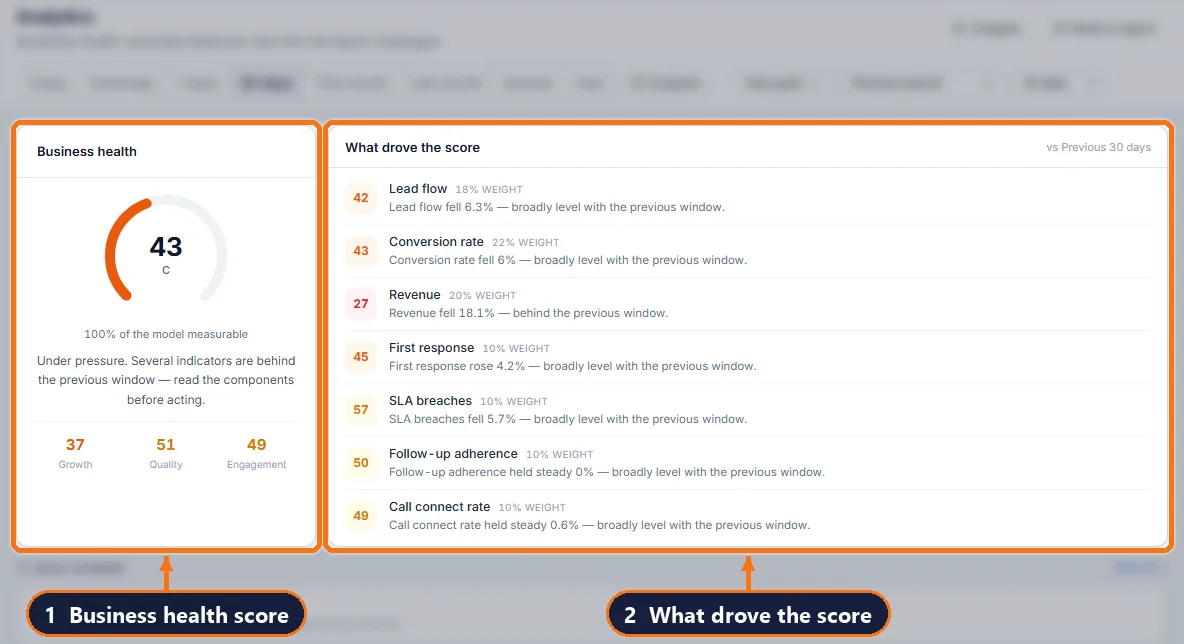
Where enquiries are lost today
Many departments, one switchboard
Orthopaedics, cardiology and IVF enquiries all reach the same desk and are passed around by hand.
Control and accountability
Management needs to know who handled each patient enquiry and when — and who may see which patient’s details.
Marketing across departments
Each department runs campaigns; nobody can compare what each rupee produced.
How atomcrm.ai works, step by step
- 1
Every enquiry lands in one list
Facebook and Instagram lead forms, Google lead forms, your website and landing pages, IVR and missed calls, and WhatsApp bot chats all create leads automatically — with the ad, campaign and form they came from.
- 2
The right counsellor gets it in seconds
Round-robin, weighted or branch-wise rules assign each new patient enquiry the moment it arrives, so nobody picks the easy leads and nothing waits in a shared inbox.
- 3
Call, record the outcome, book the next step
One Quick Update per call: stage, a one-line comment and the next callback. Stages you choose can require a callback date or an appointment, so a promised call-back can’t be forgotten.
- 4
Consultations go straight into the diary
Moving a lead to an appointment stage books the consultation. Mark it confirmed, attended or no-show, and the funnel shows how many enquiries became patients.
- 5
Your ad platforms learn who became a patient
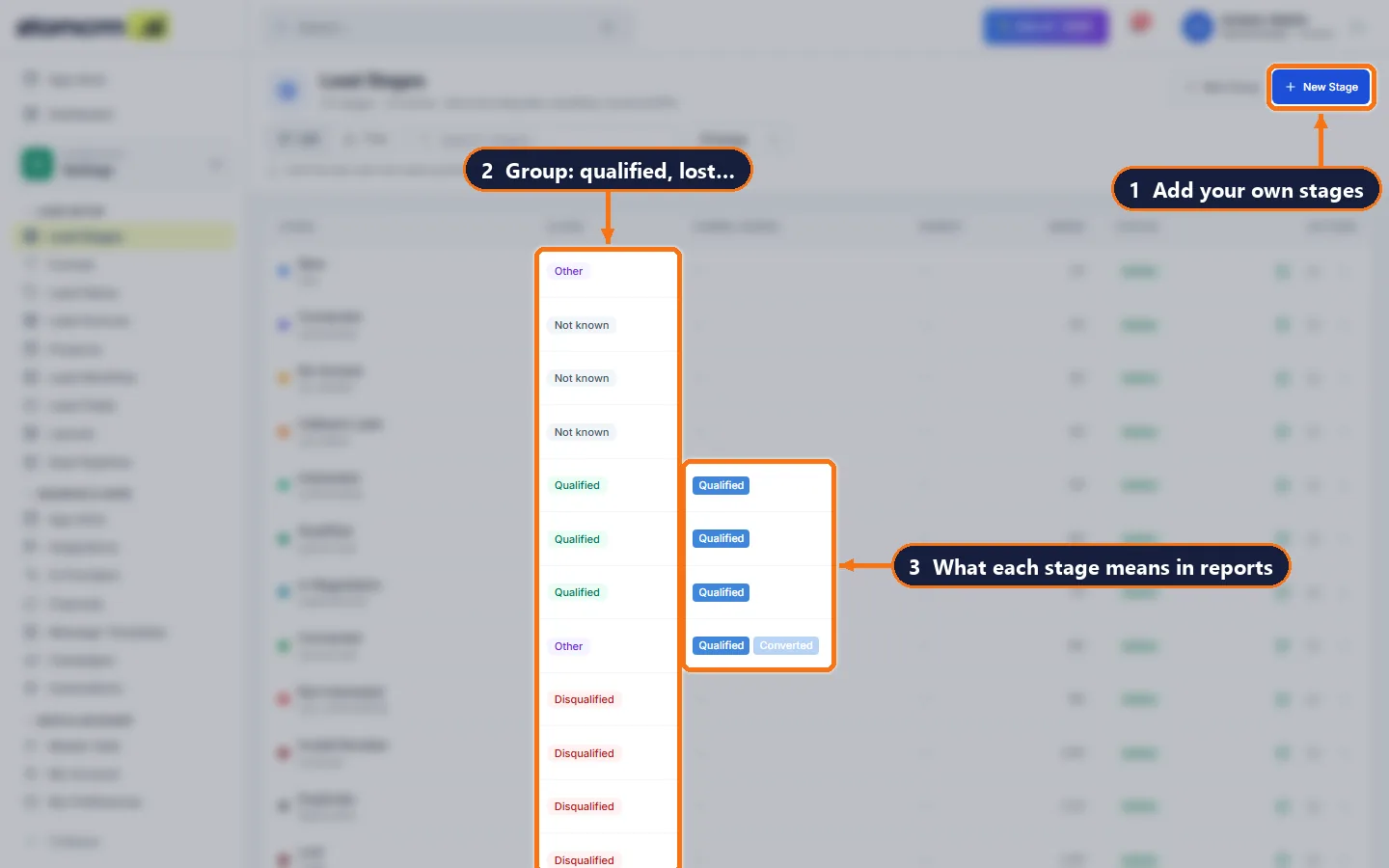
When a lead reaches a stage you choose — qualified, visited, converted — the Meta Conversions API and Google Ads receive it automatically, so campaigns optimise for patients, not form fills.
Everything the team needs, in one CRM
Teams per department
Create a team per department and branch; distribution rules and data scope follow the team.
Roles and audit trail
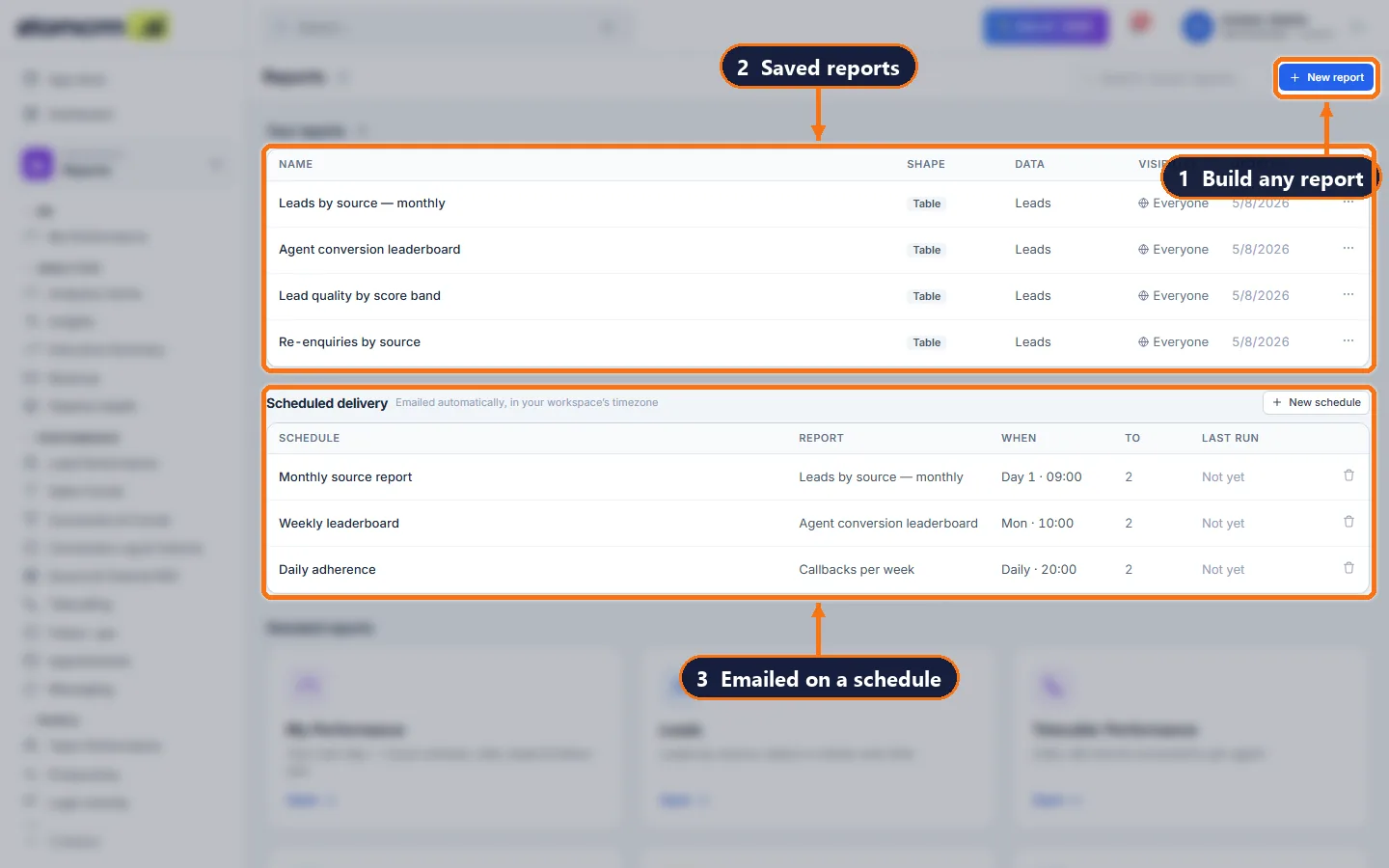
Custom roles with fine-grained permissions, and a searchable audit trail of every change and every data export.
Callback queue for counsellors
Overdue, due today and upcoming callbacks in one queue, oldest first. A comment on the call closes the callback; a new date books the next one.
Appointments with outcomes
Book from the lead or by stage. Confirm, attended, no-show and cancelled are tracked, so no-show rates are a number, not a guess.
WhatsApp inbox and bot leads
Reply to patients from the CRM with approved templates. Leads from a WhatsApp bot arrive tagged, and the ones the bot qualifies move to a qualified stage on their own.
Cost per qualified patient enquiry
Ad spend joined to what happened on the phone: which Facebook ad produced enquiries that booked, and which only produced numbers that never answered.
Multi-branch ready
Branches and teams, with data scope by role — a counsellor sees their own enquiries, a centre manager sees their centre’s team, the owner sees everything.
Patient data stays in India
Hosted in India, with role-based access, an audit trail of who changed what, and an option to mask phone numbers from roles that should not see them.
What your team actually works with
Questions people ask
Can each department have its own pipeline stages?
Stages are shared across the workspace but can be grouped and nested, and extra reporting funnels can be defined per department.
Is there an audit trail?
Yes. Every change, export and sign-in is logged with who, when and what changed, and can be filtered and exported.
Can we restrict phone numbers from some staff?
Yes. Phone numbers can be masked to the last four digits for roles that are not allowed to see them.
Does it integrate with our HIS or PMS?
Booked appointments can be posted to another system through a signed outbound webhook, and there is a REST API for everything else.
Get your team off spreadsheets this week
Import your leads, add your users, set your routing rules. Most teams are live the same day.