Telecalling CRM built around the call, not the database
atomcrm.ai is a telecalling CRM for Indian sales teams. Each caller gets an AI-ranked list of who to call, a callback queue with overdue calls first, and a one-screen Quick Update to record the outcome and book the next call, while managers see calls, connect rates and conversions per person.
Where enquiries are lost today
Callers decide who to call
Without a queue, callers pick the easy leads and the rest age out.
Updating the CRM takes longer than the call
If recording an outcome needs five screens, it does not get recorded.
Managers can’t see the floor
Who called how many, who connected, who followed up — unknown until the month ends.
How atomcrm.ai works, step by step
- 1
Open the queue
Overdue first, then due today — oldest at the top, with the last comment on each card.
- 2
Call in one tap
Click the number to dial; with the Call Pro Android app the call and its recording are logged on the lead automatically.
- 3
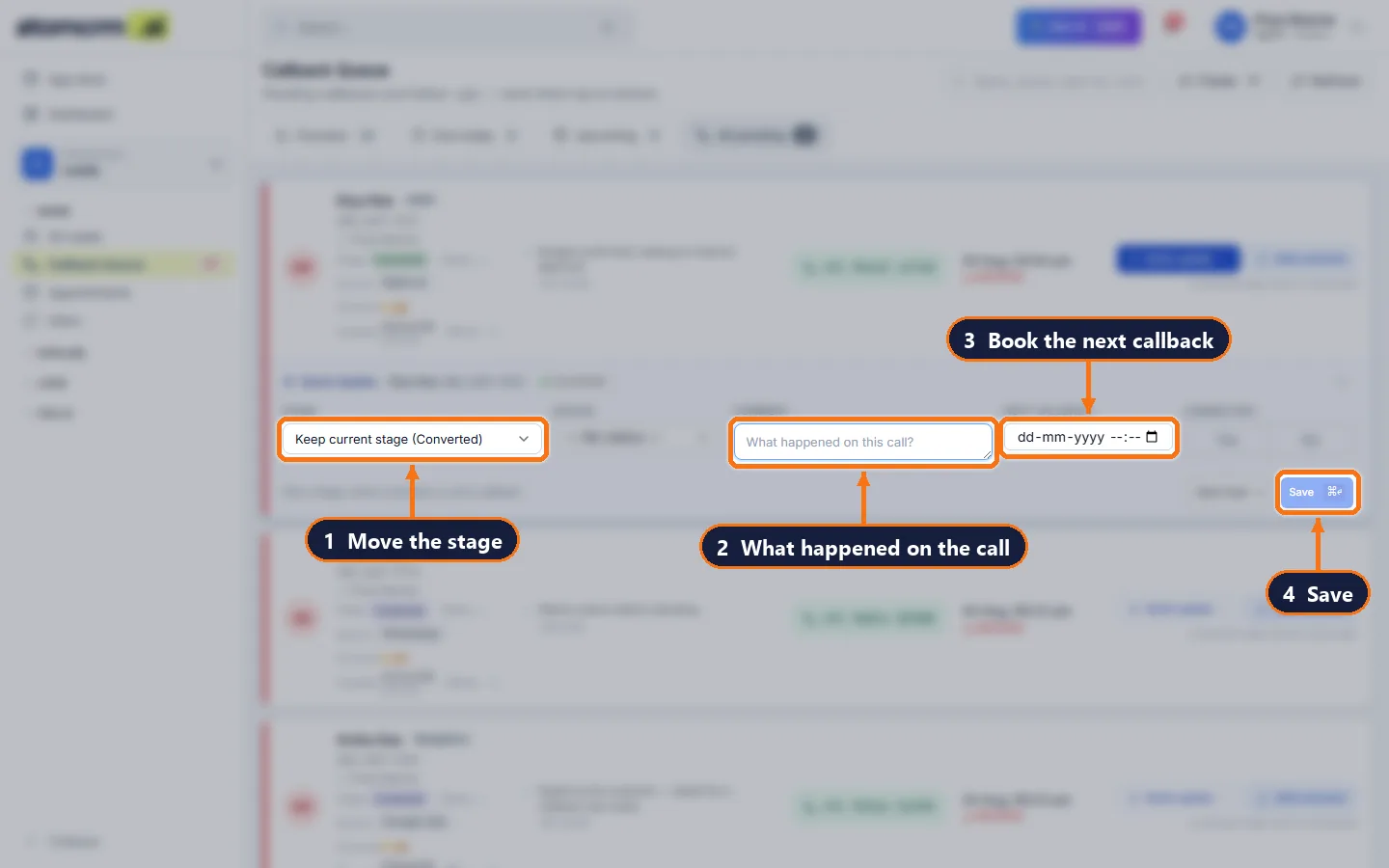
Quick Update in ten seconds
Connected yes/no, stage, status, a one-line comment and the next callback — one panel, one save.
- 4
Rules keep it honest
Stages can require a callback date or an appointment, so no lead is left without a next step.
- 5
Managers see performance
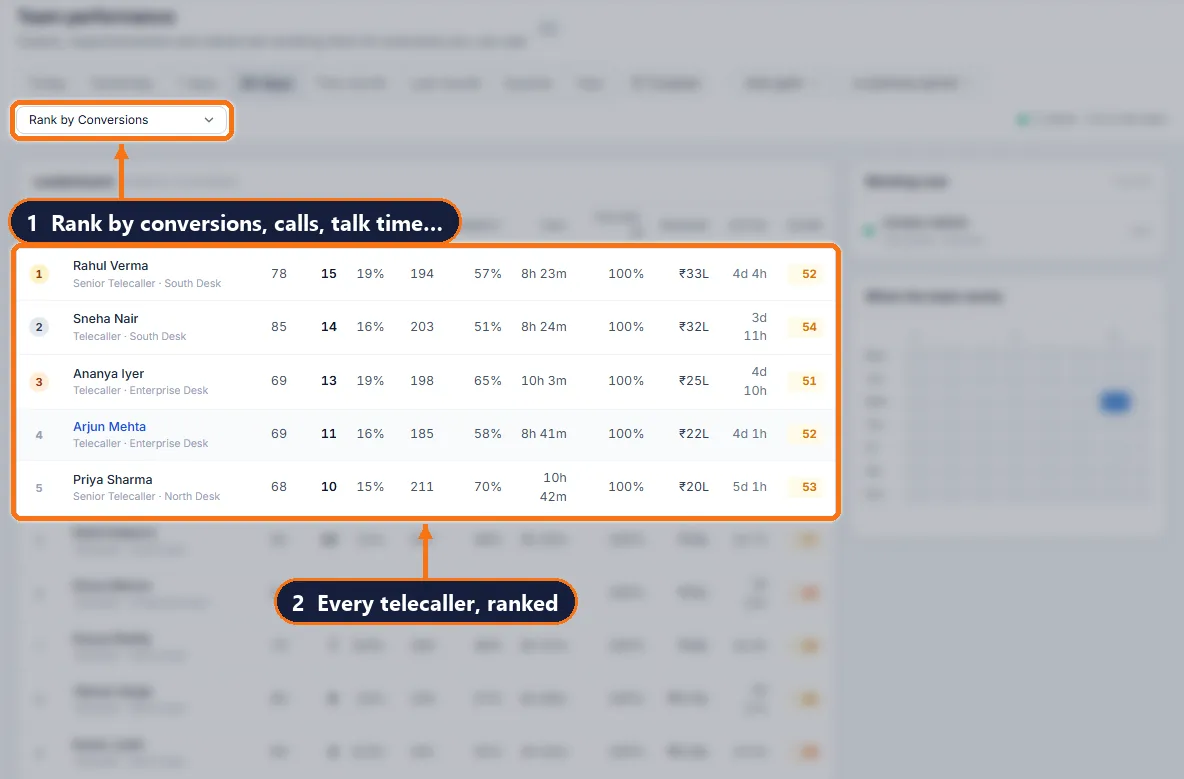
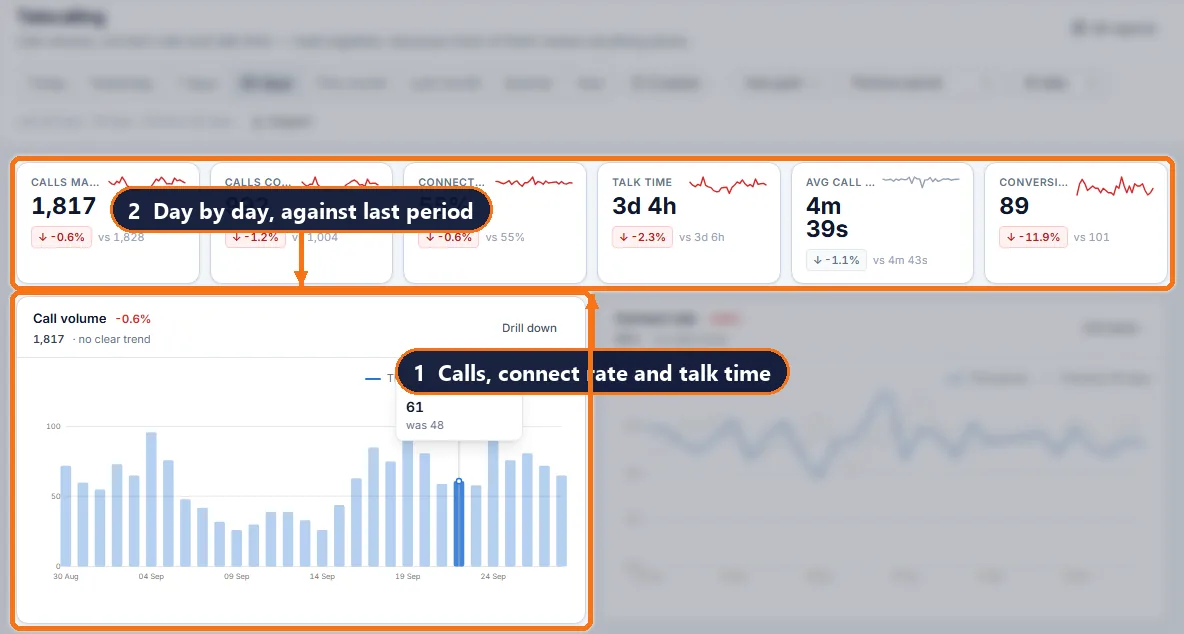
Calls, connect rate, talk time, follow-up discipline and conversions per caller, live.
Everything the team needs, in one CRM
AI-ranked call list
Each morning, the leads most likely to convert are at the top of the caller’s dashboard, with the reason.
Callback queue
Overdue, today, upcoming and all pending callbacks; a comment closes the callback automatically.
Quick Update everywhere
From the lead page, the leads list and the callback queue — the same panel, keyboard-friendly.
Call recordings
With the Call Pro app, calls and recordings appear on the lead; plays are logged.
Team performance
Leaderboard, attendance, working hours and follow-up adherence per caller.
Status labels
Label why a lead is stuck — "Not responding", "Switched off", "Budget issue" — without moving its stage.
What your team actually works with
Questions people ask
What is a telecalling CRM?
A CRM designed for teams that sell by phone: it tells each caller whom to call next, makes recording the outcome fast, schedules the next callback and reports calls and conversions per caller.
Does it record calls?
Yes, with the Call Pro Android app: each call, its outcome and its recording are attached to the lead automatically.
Can callers only see their own leads?
Yes. Data scope by role limits each caller to the leads assigned to them.
Is there a simple screen for new callers?
Yes. An admin can switch the lead page and the caller dashboard to a Simple layout and arrange its blocks.
Get your team off spreadsheets this week
Import your leads, add your users, set your routing rules. Most teams are live the same day.